

Zendesk Integration and Development.
Customer history, orders, and conversations in the tool your team already lives in.
LockData connects Zendesk to the systems you already run, from ticketing platforms and CRMs to commerce, ERP, your website, and custom databases. Tickets open with the right details, agents see the customer’s history, and updates flow both ways, for live events, arts organizations, and growing businesses.
25+ years. 1,000+ projects. 93% client retention.
Employee-owned, built in-house.
Trusted on Broadway, across live events, and in the enterprise.
Selected clients and partners









Expertise
What is Zendesk integration and development?
Zendesk integration and development is connecting Zendesk to the systems your teams already use, so agents have the full picture and updates flow both ways. LockData connects Zendesk to ticketing platforms, CRMs, commerce and ERP systems, websites, and custom databases.
We connect Zendesk to the systems your teams already use, so agents have the full picture without switching tabs.
We work across ticketing platforms, CRMs, commerce and ERP systems, websites, and custom databases, and build the connections between them.
It’s the same integration work we do every day for live events, arts organizations, and growing businesses.
How we help
Zendesk services
Zendesk connected to the rest of your systems and built around how your teams work.
Setup and configuration
Zendesk set up around your real processes: custom fields, tags, views, routing, and notifications.
Ticketing integration
Tickets created and updated from your ticketing platform, so service teams see orders and changes as they happen.
CRM, commerce, and web integration
Customer records, orders, and website forms connected to Zendesk, so agents see who they’re helping and what they’ve bought.
Workflow rules and automation
Triggers that assign, notify, and escalate tickets, and keep your other systems updated when tickets change.
Custom integrations
Connections to custom databases, internal tools, and the systems off-the-shelf connectors don’t cover.
Reporting
Zendesk data alongside ticketing and sales data in Power BI, Tableau, or Looker Studio.
Tech stack
- Zendesk
- Ticketing API
- Custom ticket fields
- Triggers
- Webhooks
- Search API
- Tags and views
- Integrations
- Ticketing platforms
- CRMs
- Commerce and ERP
- Websites
- Custom databases
- Internal tools
- Power BI
- Tableau
- Delivery
- Process mapping
- Test accounts
- Code review
- Field mapping
- Data audits
Talk to an expert
Ready to get more out of Zendesk? Let’s talk.
Tell us what’s coming up. An expert will reply within one business day with a clear read on scope, timing, and the platforms involved.
Real clients. Real results.
related work
20+ years as a partner
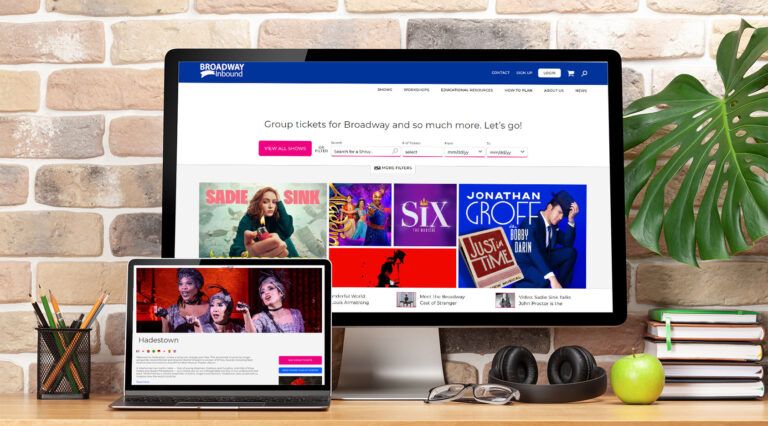
Group sales distribution technology for Broadway.
88% fewer abandoned carts
A smoother purchase journey, built on the AudienceView platform they already owned.
AudienceView integration partner, listed on AudienceView’s partner directory.


In their words
They took the time to understand our business model and brought our ideas to life with a sleek, intuitive group sales and ticketing app.
How we work
Process first, then the build.
Four steps to changes that don’t disrupt your team.
Map the process
We follow a typical ticket from the first message to the resolution and find where details get lost.
Build in a test account
Integrations, fields, and rules are built and tested away from your live Zendesk.
Test with real examples
We run real examples through every step and check the tickets with your team.
Go live and watch
We switch on, then watch closely in the first weeks.
Can you connect Zendesk to our other systems?
- Yes. We connect Zendesk to ticketing platforms, CRMs, commerce and ERP systems, websites, and custom databases.
Can tickets be created automatically from another system?
- Yes. Events in your other systems, such as an order, a form submission, or a change to an account, can open or update a Zendesk ticket with the details filled in.
Can agents see customer information from our CRM or store?
- Yes. We bring customer records and order history into Zendesk, so agents see who they’re helping and what they’ve bought.
Can Zendesk update our other systems?
- Yes. When a ticket changes, Zendesk can notify your other systems, so status and notes stay in sync both ways.
Can you add custom fields to our tickets?
- Yes. We add the fields your team needs and fill them in automatically from your other systems.
Can you automate routing and follow-ups?
- Yes. We build triggers that assign, notify, and escalate tickets based on the details on them.
Can we report on Zendesk data alongside our other systems?
- Yes. We bring Zendesk data together with ticketing and sales data in Power BI, Tableau, or Looker Studio.
Do you offer ongoing Zendesk support?
- Yes. We look after your integrations and rules, from new fields and triggers to keeping everything in sync.
Industry specialization
Built in live events. Used across industries.
Our deepest work is in live events and ticketing, where inventory changes by the second and on-sales spike traffic. That same engineering serves travel and tourism, retail and unified commerce, and manufacturing.
Contact
Tell us what’s next.
An expert will reply within one business day with a clear read on how to get there.
- A reply from the team behind the work
- A straight recommendation, even if it’s “don’t build this”
- A clear plan and estimate before you commit
Thanks. We’re on it.
An expert will reply within one business day.
Insights